MetaMask Installation and Usage Guide: Your Gateway to Web3
MetaMask is a self-custodial Web3 wallet for managing on-chain accounts, connecting to DApps, and signing transactions and messages. It is available as a browser extension and mobile app. Assets remain recorded on the blockchain; the wallet stores or invokes the keys that control an address.
Installation is easy, but backing up the recovery phrase, selecting the right network, checking contracts, and understanding signatures require care. One harmful approval or exposed Secret Recovery Phrase can cause irreversible loss. For an overview of browsers, gas, approvals, dashboards, and multisigs, see Essential Tools and Skills for Practical Web3 Use.
What Is MetaMask?
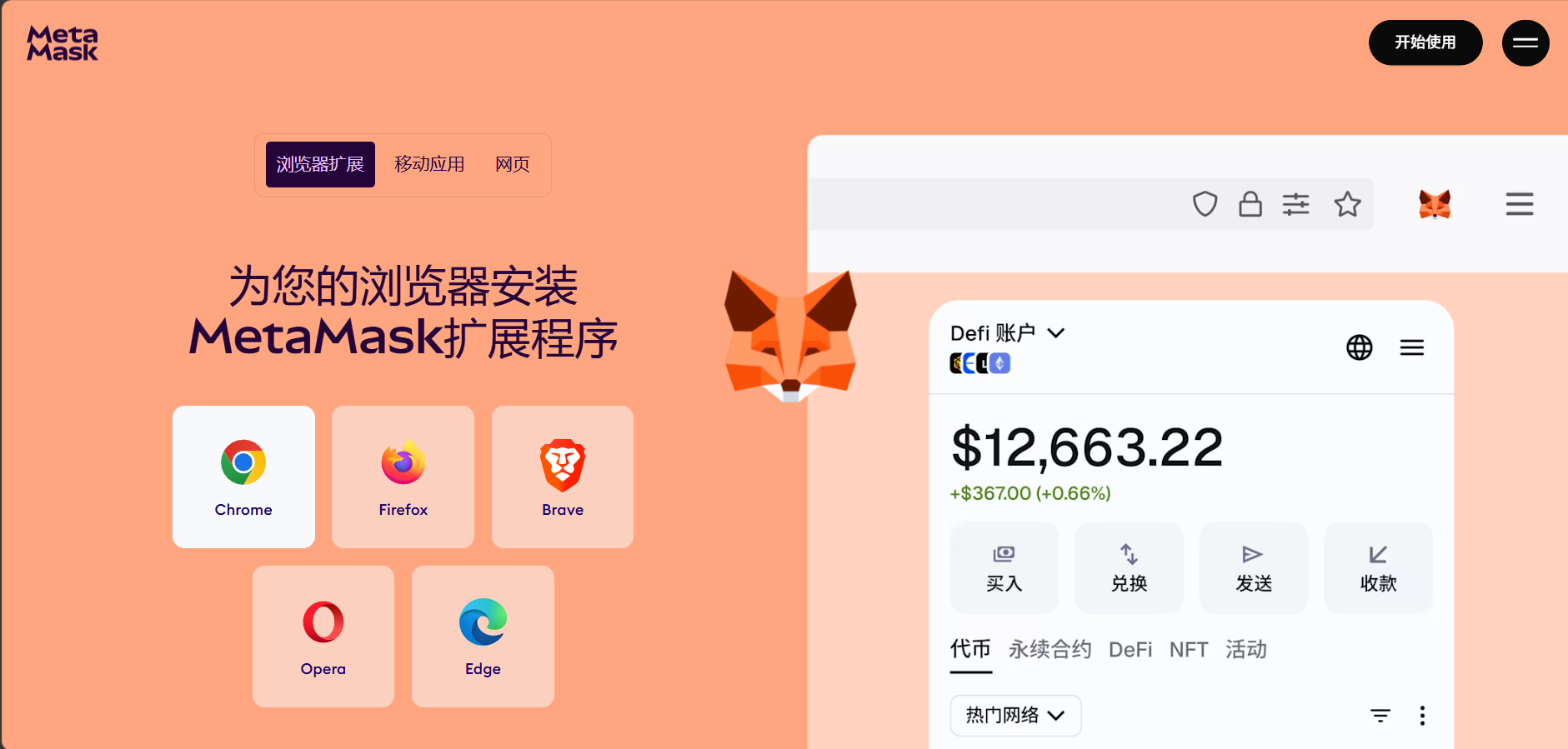
MetaMask is a wallet interface that connects users to Web3 applications. It can create and manage accounts, receive and send assets, switch networks, connect to DApps, sign messages, and display selected tokens and NFTs.
“Self-custodial” means the provider does not keep your recovery credentials and cannot restore control if you lose the phrase. Its core workflow focuses on Ethereum and compatible networks, but current support should always be checked against the official app, help center, and network documentation.
What Should You Prepare Before Installation?
Use a trusted device with current operating-system, browser, and security updates. Do not manage a high-value wallet on a device containing pirated software, unknown remote-access tools, or many unverified extensions.
Prepare offline backup media such as paper or a metal plate. Never save the phrase in screenshots, chats, email, cloud notes, or online translators. Separate long-term holdings, routine DeFi, experimental projects, and team funds, and keep a small amount of the network's native asset available for gas.
How Do You Install MetaMask from an Official Source?
Type the official MetaMask domain manually and follow its Download page to the browser's official extension store. Verify the extension name, publisher, review history, and permissions. Do not install packages received through ads, private messages, or file-sharing services. After installation, pin the extension and make sure you are opening an extension page rather than an imitation website.
On mobile, use the official site to reach Apple App Store or Google Play and verify the developer. Updates normally arrive through the extension or app store. Close any prompt that asks for your recovery phrase to upgrade, claim an airdrop, or synchronize an account.
How Do You Create a New MetaMask Wallet?
Choose the option to create a wallet in the official app and set a local password. This password encrypts and unlocks wallet data on that device only. Someone using an unlocked device may still sign transactions, so lock the wallet whenever you step away.
Next, write down every word of the Secret Recovery Phrase (SRP) in the exact order and complete the confirmation test. Keep it away from cameras, screen sharing, and public places. Once the wallet is created, record the public address and verify it in a block explorer. Public addresses can be shared for receiving funds; phrases, private keys, and backup files must never be shared.
What Is the Difference Between a Password, Recovery Phrase, and Private Key?
5.1 Local Password
The local password protects wallet data in the current browser profile or mobile device. If you forget it but still have the recovery phrase, you can usually reinstall and recover the wallet, then set a new password. The password is not stored on-chain and cannot control assets from another device by itself.
5.2 Secret Recovery Phrase
A recovery phrase deterministically derives multiple accounts. Entering the same words in the same order recreates their addresses, although some accounts may need to be added again before they appear. If the phrase is exposed, changing the local password will not help; create a wallet with a new phrase on a clean device and move the remaining assets.
5.3 Private Key for One Account
A private key controls one account and must be protected offline. An account imported with a private key usually falls outside the current phrase's derivation path and will not return automatically when that phrase is restored. Keep separate recovery records for imported accounts, hardware-wallet accounts, and phrase-derived accounts.
How Can You Test a Recovery-Phrase Backup Safely?
The safe approach is to use the official wallet recovery process in a controlled environment, never an unknown website. Before depositing significant value, verify every word, its order, the backup locations, and the accounts derived from the phrase.
Avoid entering a phrase repeatedly on an everyday online device. Hardware-wallet recovery words should be generated and stored by the device itself, with MetaMask acting only as an interface. If you use passphrases, shares, or an inheritance plan, make sure recovery remains practical; excessive complexity can also cause permanent loss.
How Do Accounts Work in MetaMask?
One recovery phrase can derive multiple accounts with different addresses that share the same root backup. Account names are stored locally and may disappear after reinstallation, so keep an independent record of each public address and its purpose.
An imported private-key account or hardware-wallet account can appear in the same interface without sharing the same backup. The same EVM address can exist on several networks, but its balances and history are separate on each network; matching addresses do not move assets across chains.
How Do You Add and Switch Networks?
Common networks can be added through built-in lists or trusted directories. A custom network usually requires a Network Name, RPC URL, Chain ID, Currency Symbol, and Block Explorer URL. The Chain ID distinguishes networks, while the RPC reads state and broadcasts transactions.
Verify every parameter in the target network's official documentation rather than copying an RPC from a stranger. Switching RPC endpoints does not move assets. Before sending, check the active network, the recipient platform's supported network, and the native gas asset so that identical token names on different chains do not mislead you.
How Do You Receive Assets?
Copy the public address from the correct account and network, then verify it through another channel. Even when using a QR code, compare the written address to defend against clipboard replacement. Start with a small test and wait for the wallet and block explorer to confirm it before sending the remainder.
The sender must use the same supported network. Custodial platforms may also require a memo or tag. Do not click URLs embedded in unknown tokens or NFTs or try to “activate” them; anyone can send spam assets to a public address, and their presence does not prove your wallet is compromised.
How Do You Add or Display a Token?
A token that is not automatically displayed may still exist on-chain. Verify its Token Contract, Symbol, and Decimals through the project's official documentation and a block explorer before importing it. A token is identified by both its network and full contract address; names, tickers, and logos are easy to imitate.
Hiding a token changes only the interface and neither destroys it nor revokes approvals. If an NFT image fails to load, verify ownership using the collection contract, Token ID, and Owner field.
How Do You Send ETH or Tokens?
Choose the correct account, network, and asset, paste the recipient address, and compare the complete string rather than only the first and last characters or an address-book label. Review estimated gas, total spending, and the remaining native balance. Sending an ERC-20 token also requires the native gas asset.
Use a small test when sending to a new address, exchange, or bridge. Then confirm Status, From, To, Token Transfers, fees, and confirmations in a block explorer. On-chain transfers are generally irreversible; recovery after a wrong address usually depends entirely on the recipient's cooperation.
How Do You Set Gas, Speed Up, or Cancel a Transaction?
MetaMask suggests fees based on network conditions. On EIP-1559 networks, the interface commonly shows Max Fee and Max Priority Fee. Speed Up submits a replacement with the same nonce and a higher fee. Cancel normally sends a zero-value transaction to yourself with the same nonce.
Cancellation cannot undo a confirmed transaction, and the original may confirm first. A Gas Limit that is too low can result in Out of Gas, and failed execution still consumes fees. For network fees, nonces, and L2 data costs, read Gas Fee Optimization Strategies: Tracking and Saving Costs.
How Do You Connect to a DApp?
Open the project's official domain, choose Connect Wallet, and select MetaMask. A connection normally lets a site see a public address, request signatures, and suggest a network; it does not automatically grant transfer authority. Later actions such as Approve, Permit, NFT Operator permissions, or transactions may affect assets.
Before connecting, verify the domain, HTTPS, official announcements, and contract address. Disconnect after use when appropriate, but remember that disconnecting ends the session only and does not revoke token or NFT permissions already recorded on-chain.
How Do You Understand MetaMask Signature Requests?
On-chain transactions change state and pay gas. Message signatures may log you in, prove address ownership, create an order, or authorize a Permit without paying gas immediately. A malicious order, Permit, or NFT listing may still move assets later.
For an EIP-712 structured signature, confirm the site, spender, asset, amount, nonce, deadline, and purpose. Simulation and warnings cannot detect every risk, so reject opaque hexadecimal blind signatures. For more detail, see How to Interact On-Chain Safely: Signatures vs. Transactions.
How Do You Connect a Hardware Wallet?
A hardware wallet keeps private keys on a dedicated device. MetaMask builds the transaction, while final signing occurs on the hardware wallet. Follow both vendors' official instructions and verify firmware, connection method, and derived address. Never “connect” a hardware wallet by typing its recovery phrase into MetaMask.
Treat the hardware screen as the trusted display and verify the network, full address, amount, and contract summary. Hardware wallets reduce key-extraction risk but cannot stop a user from approving a malicious transaction or protect against a vulnerable contract.
What Are the Common MetaMask Security Threats?
Major threats include fake extensions and apps; phishing pages requesting malicious signatures, unlimited approvals, or recovery phrases; persistent ERC-20 Approve, NFT ApprovalForAll, and Permit permissions; and clipboard replacement or address poisoning.
Other risks include screen sharing, browser synchronization, malicious extensions, remote-control software, and blind signing. Install only through official entry points, revoke unused approvals, compare complete addresses, and use a dedicated browser profile or device for important transactions.
What If Your Phone Is Lost, Your Password Is Forgotten, or the Wallet Looks Abnormal?
If the local password is forgotten but the phrase is safe, recover through the official process in a trusted environment. If a device is lost, or the phrase is missing while the old device still unlocks, create a new wallet, verify its backup, and move assets promptly.
If a phrase or private key has leaked, changing the password cannot restore security. Create a wallet on a clean device and move any remaining assets. For unauthorized transactions, preserve transaction hashes, revoke remaining approvals, and migrate funds. If the attacker has the private key, revocation cannot stop direct signed transfers.
The Hotcoin METAMASK Eight-Point Check
This checklist covers installation, connection, and signing. It is not a security endorsement of MetaMask, any network, or any DApp.
18.1 M: Main Site — Is the Entry Point Official?
Use the official domain for downloads, support, and updates. Verify the extension publisher and app developer, and avoid ads and private-message links.
18.2 E: Environment — Is the Device Trusted?
Update the system and browser, minimize unknown extensions and remote-control software, and use a separate device or hardware wallet for high-value assets.
18.3 T: Target — Are the Network and Destination Correct?
Confirm the account, Chain ID, RPC, recipient, token contract, DApp domain, and spender to avoid confusion between identically named assets.
18.4 A: Approval — Is Permission Minimized?
Distinguish connection, Approve, NFT Operator, and Permit requests. Prefer limited amounts and revoke permissions that are no longer needed.
18.5 M: Message — Can You Explain the Signature?
Confirm the login domain, asset, amount, nonce, deadline, and order meaning. Reject hexadecimal or structured fields you cannot explain.
18.6 A: Amount — Can You Afford the Value and Fees?
Check the amount sent, amount expected, slippage, gas, and remaining balance. Test new interactions with a small amount and retain native gas funds.
18.7 S: Segmentation — Are Assets Isolated?
Use separate wallets for long-term custody, routine DeFi, new projects, and team funds to limit damage from one phrase or approval incident.
18.8 K: Key — Are Recovery Credentials Secure?
Keep recovery phrases offline, separately document imported and hardware-wallet recovery methods, and never reveal credentials to support staff, websites, or chat contacts.
A Standard Beginner Workflow for MetaMask
During installation, enter the store from the official site, create a wallet, and back up the phrase offline. During funding, verify the network and address, send a small test, and inspect it in a block explorer.
During use, bookmark official DApps, use an isolated wallet, and verify networks, contracts, approvals, signatures, and gas. During maintenance, update the official app, lock idle wallets, revoke unused approvals, and review backups. Consider hardware or multisig custody for high-value assets.
Frequently Asked Questions
20.1 Can a Forgotten MetaMask Password Be Recovered?
MetaMask does not store a resettable account password. If the recovery phrase is safe, restore the wallet through the official process and set a new password.
20.2 Can You Send a Recovery Phrase or Private Key to Support?
Never. Official support does not need these credentials. Treat anyone asking for them or requesting remote control as a serious threat.
20.3 Does a Missing Token in MetaMask Mean It Is Lost?
Not necessarily. You may be on the wrong network, the token may not be imported, or indexing may be delayed. Verify it with the correct network and contract address in a block explorer.
20.4 Does Connecting to a DApp Automatically Move Assets?
A basic connection normally exposes a public address and lets the site request actions; it is not a transfer. A later malicious signature, approval, or transaction can cause loss.
20.5 Does Disconnecting a Site Revoke Approve?
No. Disconnecting only ends the session. Token, NFT, or Permit permissions recorded on-chain must be handled separately with a compatible revocation tool and transaction.
20.6 Why Can a Wallet with Tokens Fail to Send Them?
The wallet may lack the network's native gas asset, the balance may be locked in a protocol, the nonce may be inconsistent, or the token contract may restrict transfers.
20.7 Is It Safe to Import a Hardware-Wallet Phrase into MetaMask?
No. Doing so exposes a cold wallet's root key to online software. Use MetaMask's hardware-wallet connection so signing remains on the device.
Conclusion: The Easier the Wallet Entry, the Greater the Signing Responsibility
MetaMask combines accounts, networks, and DApp connections in one interface. The app password does not control on-chain assets; the recovery phrase, private key, or hardware device does. The safe sequence is to install from an official source, back up offline, understand each recovery method, verify networks and contracts, test with small amounts, and review permissions, values, and fees before signing.
Wallet warnings and simulation are only aids. Learn to inspect transaction hashes, status, Token Transfers, and contracts in The Complete Guide to Block Explorers: Etherscan, Solscan, and More. Return to Essential Tools and Skills for Practical Web3 Use for gas optimization, approval revocation, DeFi dashboards, airdrops, and multisig management.
To connect an independent wallet to Web3 apps, consider Hotcoin Web3 Wallet. For mobile market and trading tools, visit the Hotcoin App. Browse more educational content at Hotcoin.
Risk warning: This article is for education and information only and is not investment, trading, cybersecurity, legal, or tax advice. Self-custodial wallets face risks including exposed phrases or private keys, fake extensions, phishing, malicious signatures, unlimited approvals, contract vulnerabilities, RPC or front-end compromise, gas costs, bridges, and irreversible transfers. Verify the latest official MetaMask documentation, device environment, network, contract address, and signature contents, and use only assets you can afford to lose.
Recommended
View more