Password Manager Recommendations: Say Goodbye to Weak Passwords
A password manager can generate and store a different random password for every account, reducing the risks of password reuse and credential stuffing. When choosing one, compare encryption, synchronization, recovery, audits, and backups instead of focusing only on the number of features.
How Do the Three Common Options Differ?
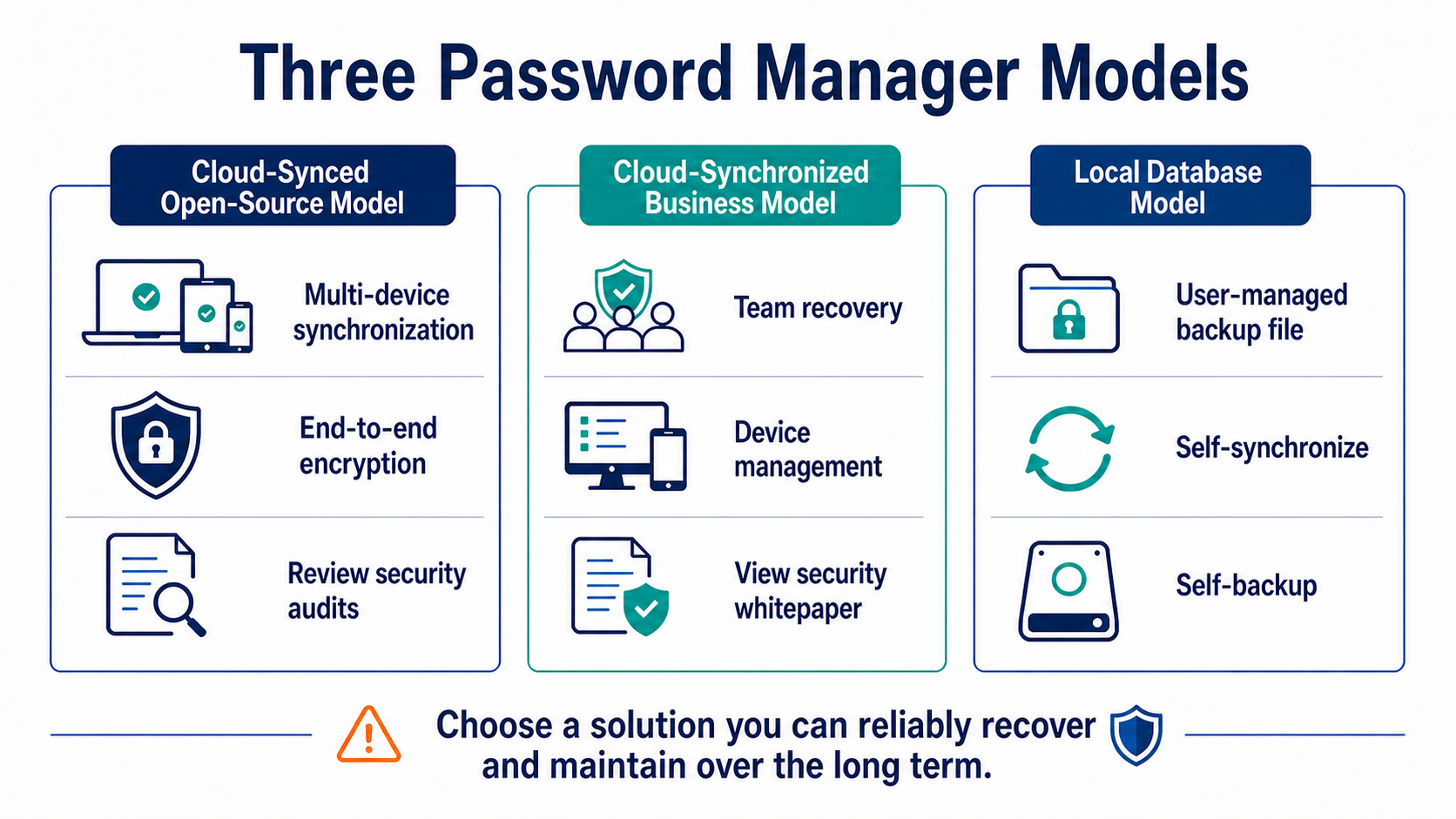
Bitwarden offers end-to-end encrypted synchronization across multiple devices and publishes substantial information about its clients and security design. 1Password protects synchronized accounts with both an account password and an additional Secret Key. KeePassXC leaves the encrypted database file entirely under the user's control for storage and backup.
| Tool | Primary model | Best suited for | What you must manage yourself |
|---|---|---|---|
| Bitwarden | Hosted or self-hosted synchronization with client-side encryption | Users who need cross-device access and an open-source, auditable option | Master password, 2FA, recovery, and the synchronization account |
| 1Password | Hosted synchronization with an account password plus a Secret Key | Families or teams that value device and member management | Emergency Kit, account recovery, and member permissions |
| KeePassXC | Local encrypted KDBX database | Users willing to manage files, synchronization, and versioned backups themselves | Database loss, conflicts, master password, and backup availability |
This is not a fixed ranking. Product features, pricing, and audit status can change, so review the latest official information before installing anything. The best tool is one you can back up correctly, keep updated, and use consistently over the long term.
Secure Setup Order for First-Time Users
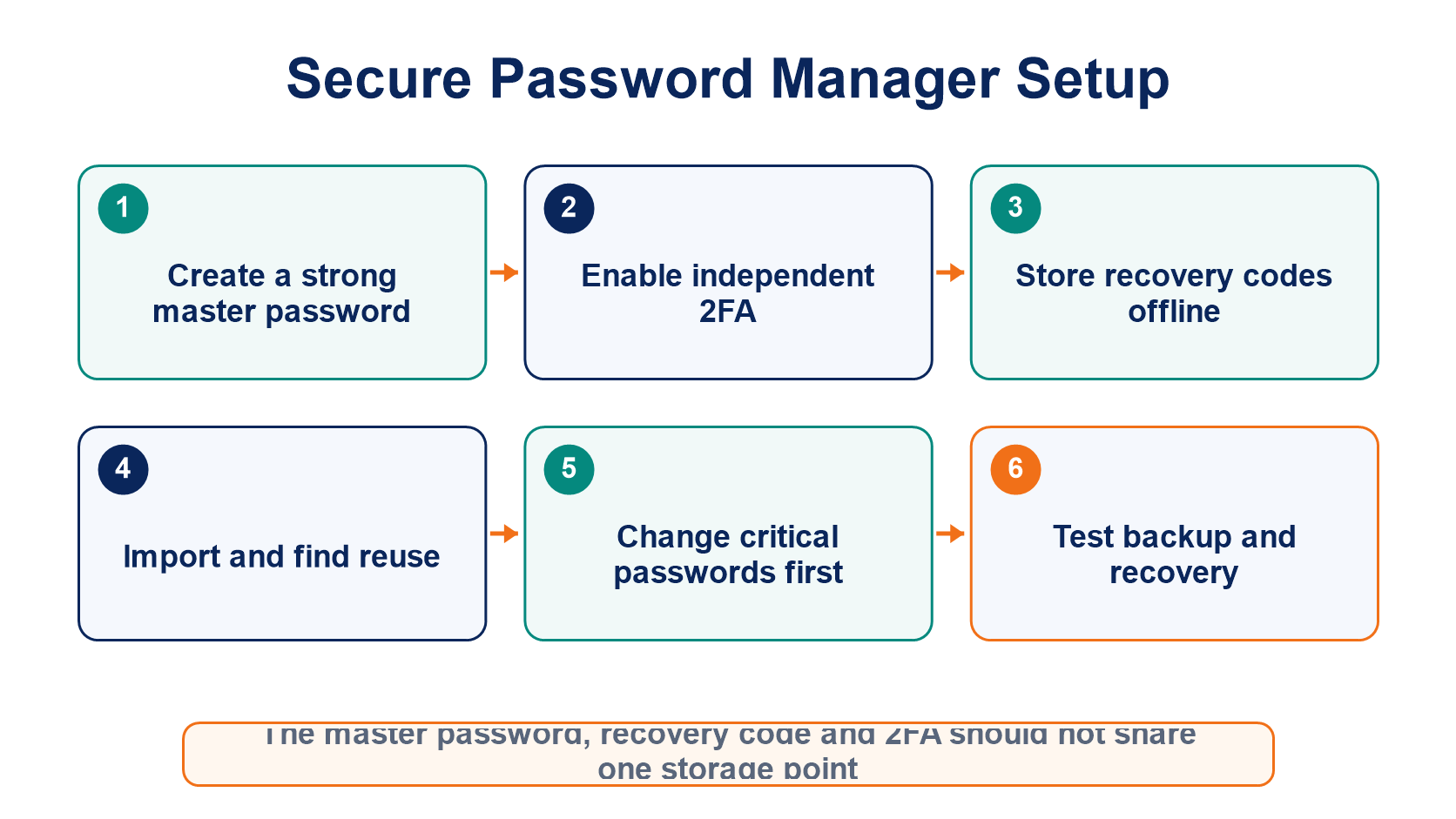
Start by creating a long master password that you have never used elsewhere, and do not store it inside the same password vault. Then enable a passkey, hardware security key, or authenticator-based 2FA, and keep the recovery codes offline.
After importing old passwords, prioritize changing the credentials for your email, trading platforms, cloud accounts, and mobile carrier. Use the built-in reports to find reused, weak, or exposed credentials, but never upload your vault in bulk to an untrusted website.
Why Can Autofill Also Help Detect Phishing?
Password managers generally match credentials to the saved domain name. A fraudulent site's domain is different, so the tool will not autofill normally, providing an additional warning. If autofill fails, do not immediately copy and paste the password manually; verify the domain first.
Browser extensions also carry permission and update risks, so install them only from the official store or project website. Even after the vault is locked, clipboard contents, browser sessions, and malware on the device may still expose information.
Should TOTP Codes and Passwords Be Stored in the Same Vault?
Keeping them together is more convenient and can make users more likely to enable 2FA, but both factors may be exposed at the same time if the vault is compromised. For high-value email and trading accounts, you can store TOTP codes separately or use a hardware key for stronger isolation.
Whichever approach you choose, prepare a recovery plan. For cloud synchronization services, verify the account recovery path. For a local database, maintain at least two protected backups and regularly test that they can be opened.
For broader account protection practices, see Cryptocurrency Security Fundamentals.
Frequently Asked Questions
Does Putting Every Password in One Manager Create a Single Point of Failure?
It concentrates risk, but it also greatly reduces password reuse. A strong master password, independent 2FA, trusted devices, timely updates, and recoverable backups help control that concentrated risk.
Is the Password Manager Built into My Browser Good Enough?
That depends on the synchronization account, device protection, export and recovery options, and cross-platform requirements. Evaluate it by the same standards rather than assuming it is safe or unsafe simply because it is preinstalled.
Can Customer Support Recover a Forgotten Master Password?
It depends on the product and account type. With a zero-knowledge design, the provider may be unable to reset the secret needed to decrypt an individual vault, so you must understand the recovery method in advance.
Can a Password Manager Store a Seed Phrase?
It is not advisable to put an originally offline seed phrase into an internet-connected password vault. Once digitized, the seed phrase loses some of the protection provided by offline isolation and should instead use a dedicated offline backup method.
Inirerekumendang pagbabasa
Tingnan ang higit pa